

Updated August 2026 to cover the current linkage mechanisms on self-hosted Jira and the Data Center end-of-life timeline.
Jira Data Center links a Git commit to a work item in exactly one way: the work item key appears in the commit message, the branch name, or the pull request title. Code traceability on self-hosted Jira comes down to that single string, and nothing in the platform requires a developer to type it.
There is no second mechanism. If the key is absent, the commit is invisible to Jira, and no amount of reconfiguration or re-indexing later will connect them.
That single dependency is what this guide is about: how the linkage works, where it breaks, and how to make it reliable.
How Jira Data Center discovers Git activity
Two integration paths exist on self-hosted Jira, and both feed the same work item key scan.
Application link to Bitbucket Data Center. The standard pairing. Once linked, Jira reads commits, branches, and pull requests from the connected Bitbucket instance and attaches them to work items whose keys it finds.
Distributed version control system (DVCS) accounts for hosted repositories. Under Settings → Applications → DVCS accounts, Jira Data Center can connect to Bitbucket Cloud, GitHub, and GitLab, including GitLab self-managed. Jira then syncs repository activity and performs the same key scan. Smart Commits are toggled here too, per account or per repository.
| Linkage path | What it surfaces | What it depends on |
|---|---|---|
| Application link to Bitbucket DC | Commits, branches, pull requests | Work item key in the message, branch name, or PR title |
| DVCS accounts (Bitbucket Cloud, GitHub, GitLab) | Commits, branches, pull requests | Work item key in the message, branch name, or PR title |
| Smart Commits | Comments, worklogs, transitions | Work item key in the message |
What the development panel actually shows
The development panel on a work item is not a query across your repositories. It is a list of the Git objects that happened to mention this work item's key.
This distinction matters when someone asks the panel to answer a question it cannot answer. "Show me every code change for this requirement" returns every change that named the requirement. A developer who worked on the right thing and forgot the key contributed nothing the panel can see, and the panel gives no indication that anything is missing. It looks identical to a work item with no code changes at all.
That is the failure mode to see clearly. The panel does not report gaps. It reports what it found. Your task is to ensure mechanically that what it displays is correct, comprehensive, and useful.
The four ways the link silently fails
-
No key at all. A commit message reading
fix the login bugnever reaches a work item. Jira scans it, finds no key pattern, and discards it. The commit is in the repository's history permanently and in Jira's view of the world never. -
A key that does not resolve.
PROJ-9999matches the key pattern but no such work item exists. Jira finds nothing to attach to and moves on. No warning is raised anywhere. -
A key that resolves to the wrong work item. A typo that lands on a real key,
SW-412instead ofSW-421, links the commit to unrelated work. This is worse than a missing link, because the data is not absent, it is wrong, and it will be read as correct by every report and every auditor downstream. -
A key from a project the change does not belong to. Copying a commit message template between repositories, or working across two projects in one session, attaches code to the wrong project's release entirely.
In all four cases the push succeeds, the build goes green, and nobody is told anything. The developer has no signal, the reviewer has no signal, and the person who eventually needs the data finds out months later.
What breaks downstream
The linkage is not an end in itself. Several things sit on top of it, and each inherits the same holes:
- Release reports. Any view of "what code went into this version" only sees linked commits. Unlinked work is missing from the release record.
- Development-based JQL. Queries filtering on development activity return work items whose keys were typed correctly, which is not the same set as work items that had code written for them.
- Smart Commits. The comment, worklog, and transition all ride on the key. No key means the automation you configured quietly did not run, covered in more detail in Jira Smart Commits: syntax, examples, and limits.
- Audit traceability. The requirement is a demonstrable link from every change back to an authorized work item. A missing link is indistinguishable from an unauthorized change.
Neither Jira nor Git can close this. Jira cannot validate a commit message, because it only ever sees commits after they are pushed. Git cannot check whether a work item key exists, what status it is in, or whether the committer has permission on it, because Git has no concept of Jira. Neither can reject a change on the other's behalf, and this is a platform boundary rather than a setting somebody forgot to enable.
How to guarantee the link exists
Better Commit Policy for Jira is the layer that closes the gap. Policies are defined centrally in Jira and enforced in the version control system, so a commit that would create a broken link is rejected instead of recorded.
The rules address the failure modes above:
- The message must contain a work item key, which eliminates silent omission.
- The key must resolve to a work item that exists, which eliminates
PROJ-9999. - The work item must be in an allowed status and an allowed project, which catches the typo that lands on real but unrelated work.
- The committer must be a recognised Jira user, optionally restricted to specific groups, which catches commits from accounts Jira cannot match to a user at all.
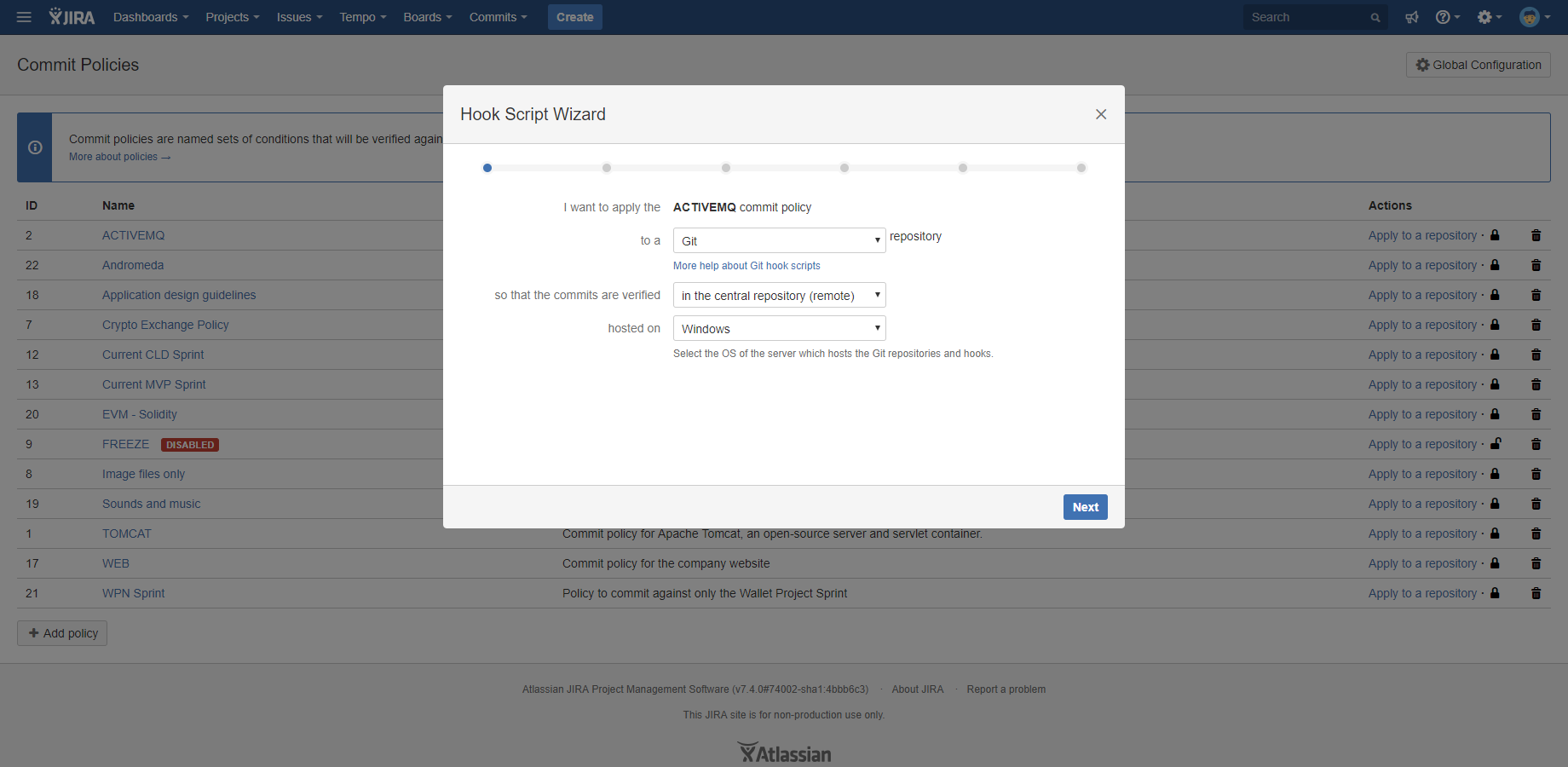
Enforcement happens at three points on self-hosted deployments, which is more than is possible on Cloud:
Server-side push rejection. With the Connector for Bitbucket on Bitbucket Data Center, a non-compliant push is refused where the write happens. There is no bypass through a rebase or a force push.
Pre-commit hooks. A hook script installed on the developer's machine calls the same commit policy at git commit time, before the commit object is created. A missing key is caught immediately, with a rejection message you write yourself, so the fix costs seconds rather than a rebase:
✗ 1 violation found
  Commit message must start with a valid Jira work item key (e.g. PROJ-123)
  Fix the violation and commit again.
Merge checks. Pull requests are blocked if any commit on the branch violates policy.
Better Commit Policy for Jira is also version control agnostic on Data Center. The same policies apply to Git, Subversion, and Mercurial, which matters for the self-hosted estates that still run more than one.
Can I fix the links for commits that are already pushed?
Not through Jira. The key has to be in the commit message, the branch name, or the pull request title, and changing a pushed commit message means rewriting history. In practice, developers can go back and amend commits to fix the message. That works for a handful of commits and is unworkable at any real volume. Pre-commit hooks prevent the problem instead, which is why they belong at the front of the workflow.
Do we have to enforce this on every repository at once?
No. Policies can be scoped, and the usual rollout is to start with the repositories feeding regulated or released code, then widen. Starting narrow also gives developers time to adjust before the rule reaches the busiest repositories.
Does this need anything installed on developer machines?
Server-side push rejection on Bitbucket Data Center needs nothing on the developer's machine. Pre-commit hooks are the optional layer on top, and they exist to catch violations earlier rather than to add a second gate.
If you need Git events to drive automation rules
One related gap to note: Automation for Jira on Data Center does not provide development triggers or development smart values, so it cannot start a rule when a commit is pushed, a branch is created, or a tag is applied. Atlassian provides those for Jira Cloud only.
The workable pattern is to let Git call Jira instead of the other way around. Create a rule with the Incoming webhook trigger, then have a post-receive hook or a CI step POST the commit details to it, and read them back inside the rule with {{webhookData.*}} smart values.
Two caveats before you build it. This is a script your team owns and maintains across Jira upgrades, and it does not survive a Cloud migration, because Cloud uses native development triggers instead. It also depends on the same work item key as everything else in this post: a rule that has to find a work item cannot find one that was never named.
The Data Center timeline
Atlassian has announced that Data Center support ends on 28 March 2029, with all products moving to Cloud. That splits the work above into two categories.
The webhook script is throwaway. It is replaced by native triggers on Cloud rather than ported.
Policy configuration migrates. Better Commit Policy runs on both Cloud and Data Center, and the enforcement model carries across, with pre-commit hooks and merge checks taking over from the server-side hook. If you are planning the move, see what the end of Data Center means for Midori customers.
Enforcing the key now also makes the migration cleaner. Development history that is fully linked moves as a coherent record, while history full of gaps arrives on Cloud with the same gaps.
Why this matters for regulated teams
Under SOX, ISO 13485, IEC 62304, ISO 26262, and similar standards, the requirement is a demonstrable link from every code change back to an authorized work item, plus evidence that the process was followed rather than merely written down.
A development panel populated by convention produces neither. It produces a record that is right most of the time, with no way to identify the exceptions. Enforcing the key at commit time produces the traceability as a side effect of normal work, and there is nothing to reconstruct under audit pressure.
Get started
Connect Jira to your repositories using the paths above, then enforce the work item key so the links they create are complete.
