

Updated August 2026 to cover the current native Slack integration options for Bitbucket Cloud and Jira Cloud.
There are two popular ways to post Git commit details into a Slack channel: the Bitbucket Cloud Slack integration, and a Jira Cloud automation rule driven by a development trigger. Both are configuration rather than code, which is why teams reach for them first.
Both do the same thing with the commit message. They forward it. If the message says fix stuff and carries no work item key, that is what appears in the channel, and the notification tells the team nothing they can act on.
This guide covers the setup for each option, then the part that decides whether the notifications are useful at all.
Which option should you use?
| Option | Configured in | Format control | Needs Jira? |
|---|---|---|---|
| Bitbucket Cloud Slack integration | Bitbucket repository settings | None, fixed layout | No |
| Jira Cloud automation rule | Jira Cloud project or global automation | Full, custom message body | Yes |
Pick the Bitbucket integration if you want commit notifications working in five minutes and do not care what they look like. Pick a Jira automation rule if you want the work items linked to the commit included in the message.
Both options are Cloud-only. Neither one covers a self-hosted Git server: the Bitbucket integration is a Bitbucket Cloud feature, and Atlassian does not support development triggers for self-hosted or on-premise tools such as Bitbucket Data Center, GitLab self-managed, or GitHub Enterprise. On those platforms the remaining route is a Slack incoming webhook called from a pipeline step, which gives full control over the payload at the cost of code your team writes and maintains.
Option 1: the Bitbucket Cloud Slack integration
Bitbucket Cloud ships an official Slack integration that posts repository activity into a channel.
- In Bitbucket Cloud, open the repository, then More actions (…) → Settings → Slack → Settings.
- Connect the Slack workspace and authorize the app.
- Choose the channel, then scope the notifications to a specific branch, a branch pattern, or the whole repository, and select which events to post. For commit notifications, enable the branch updated event.
The layout is fixed. You get the Bitbucket username of the person who pushed, the branch, the short commit hash, and the commit message, and you cannot add a work item summary or reformat the output. For many teams that is enough.
Option 2: a Jira Cloud automation rule
Jira Cloud has development triggers and development smart values in Automation for Jira, so a rule can fire on a new commit and post a message you compose yourself. This is the option that lets you include the linked Jira work items alongside the commit details.
- In Jira Cloud, go to Project settings → Automation (or global automation for a cross-project rule).
- Create a rule and choose a development trigger such as Commit created.
- Add the Send Slack message action and supply your Slack webhook URL.
- Compose the message body using the development smart values available in Jira Cloud, combined with the standard issue smart values, and Slack's message formatting syntax.
Two constraints apply before you build this. The rule depends on the commit reaching Jira, which means the repository has to be connected to Jira and the commit has to carry a work item key. A commit with no key never triggers the rule at all, so the notification you were relying on silently does not arrive.
The second constraint is deployment. Automation for Jira on Data Center does not provide development triggers or development smart values. Atlassian provides those for Jira Cloud only.
Where should the notifications land?
Use a dedicated channel for commit notifications rather than the team's working channel. Commit traffic is high volume and low urgency, and mixing it into a discussion channel is the fastest way to get the integration muted, which defeats the point of having it.
Why most commit notifications get muted
A commit notification is a forwarding mechanism. It has nothing of its own to say. Whatever value it carries came from the commit message the developer typed, and that is where these integrations quietly fail.
Consider what actually lands in the channel when commit hygiene is unenforced:
fix: the team learns a file changed, and nothing else.wip: pushed to a shared branch, with no indication of what is in progress.Merge branch 'main' into feature/x: noise generated by the tooling itself.PROJ-9999 update config: a key that does not resolve, so the work item link in the message renders empty.
None of these are Slack's fault, and none of them are fixable in the integration. Slack renders the string it is given. Bitbucket forwards the string it is given. A Jira automation rule can only interpolate work items that were actually linked, and it never fires for a commit with no key at all.
Neither Bitbucket nor Slack can require a commit message to contain a work item key, follow a format, or describe the change. Bitbucket Cloud does not support custom server-side hooks, so there is no native point at which a non-compliant push can be rejected. This is a platform constraint, not a configuration option.
Enforce the message format before the notification fires
Better Commit Policy is the enforcement layer that decides what a commit message must contain before the commit is accepted. Rules can require a valid, resolvable Jira work item key, a work item in an allowed status, a Conventional Commits type prefix, a minimum description length, or any pattern your team agrees on. Commits that break the rules are blocked until they are fixed.
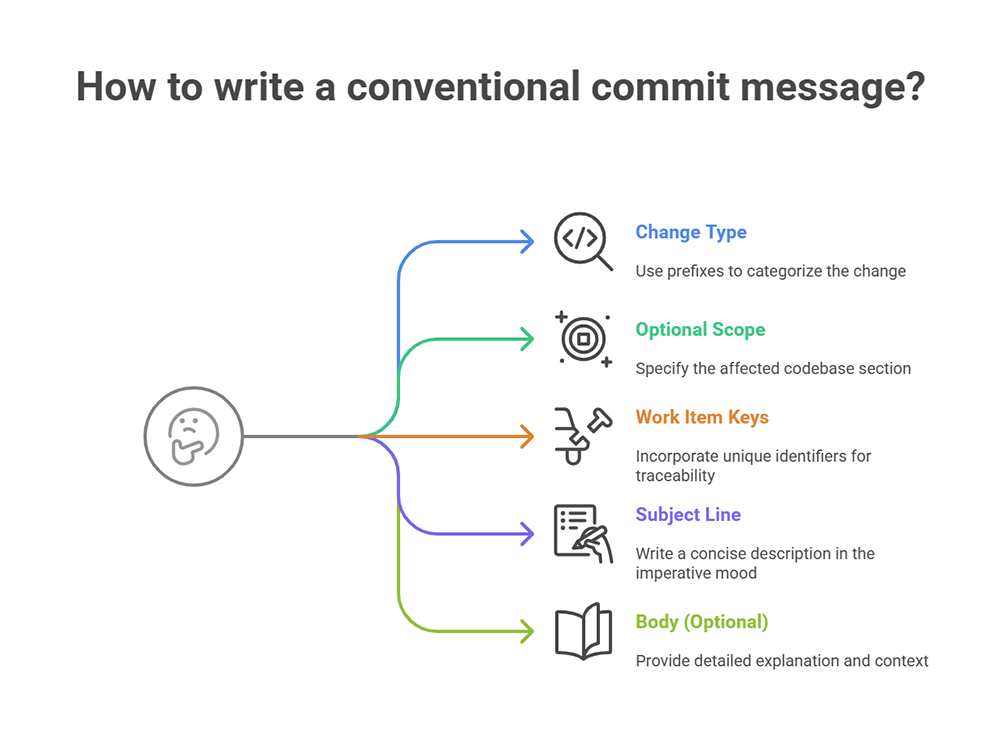
Enforcement happens at two points.
At commit time. A pre-commit hook runs when the developer types git commit, before the commit object exists. The developer sees the violation immediately, with changes still staged:
✗ 1 violation found
  Commit message must start with a valid Jira work item key (e.g. PROJ-123)
  Fix the violation and commit again.
This enforcement point is unique to Better Commit Policy for Jira and its Connector for Bitbucket, which is the pair that brings the policy engine into a Bitbucket Cloud workspace. Bitbucket Cloud does not support custom server-side hooks, and no other Marketplace app runs the policy check on the developer's machine before the commit is created. Every other option available to you, native or third party, reports the violation after the commit already exists.
At merge time. The Commit policy satisfied merge check validates the pull request title and description, as well as every commit in the pull request. This covers developers who have not enabled the pre-commit hook.
A Bitbucket administrator enables custom merge checks for the workspace once. After that, the check can be set up at repository, project, or workspace level, with two strictness levels:
- Required blocks the merge until the violations are fixed. This is a Bitbucket Premium feature.
- Recommended lists the violations on the pull request without preventing the merge. This is available on all Bitbucket plans.
The effect on your Slack channel is indirect but immediate. Every notification carries a resolvable work item key, so the Jira automation route always fires and always has a work item summary to interpolate. Every message follows the same structure, so the channel becomes scannable instead of something people mute.
If your team needs a starting point for the format itself, these Git commit message templates are copy-ready.
Does this change anything about my Slack setup?
No. The integration or automation rule stays exactly as you configured it. The only change is the quality of the strings flowing through it.
What about merge commits cluttering the channel?
Filter those at the notification layer, not the policy layer. A Jira automation rule can add a condition on the commit message to skip the ones that start with Merge branch.
Why this matters for regulated teams
For teams working under SOX, ISO 13485, IEC 62304, or similar standards, the Slack channel is a convenience but the commit history is evidence. An auditor asking which change implemented a given requirement needs the work item link to exist in the commit, not in someone's memory of a Slack thread.
Enforcing the link at commit time produces the audit trail as a side effect of normal work, and the readable notifications come free with it.
Get started
Set up whichever Slack route fits your stack, then enforce the message format so the notifications are worth the channel.
