

In this page
What is GitKraken?
GitKraken is a cross-platform Git client with a visual branch graph and built-in merge conflict editor. It runs on Windows, macOS, and Linux.
GitKraken guide
Learn how to get the most out of Better Commit Policy in GitKraken. If this is your Git client of choice, this guide is well worth a read.
Pre-commit check
The pre-commit check is implemented as a standard Git commit-msg hook that runs at commit time.
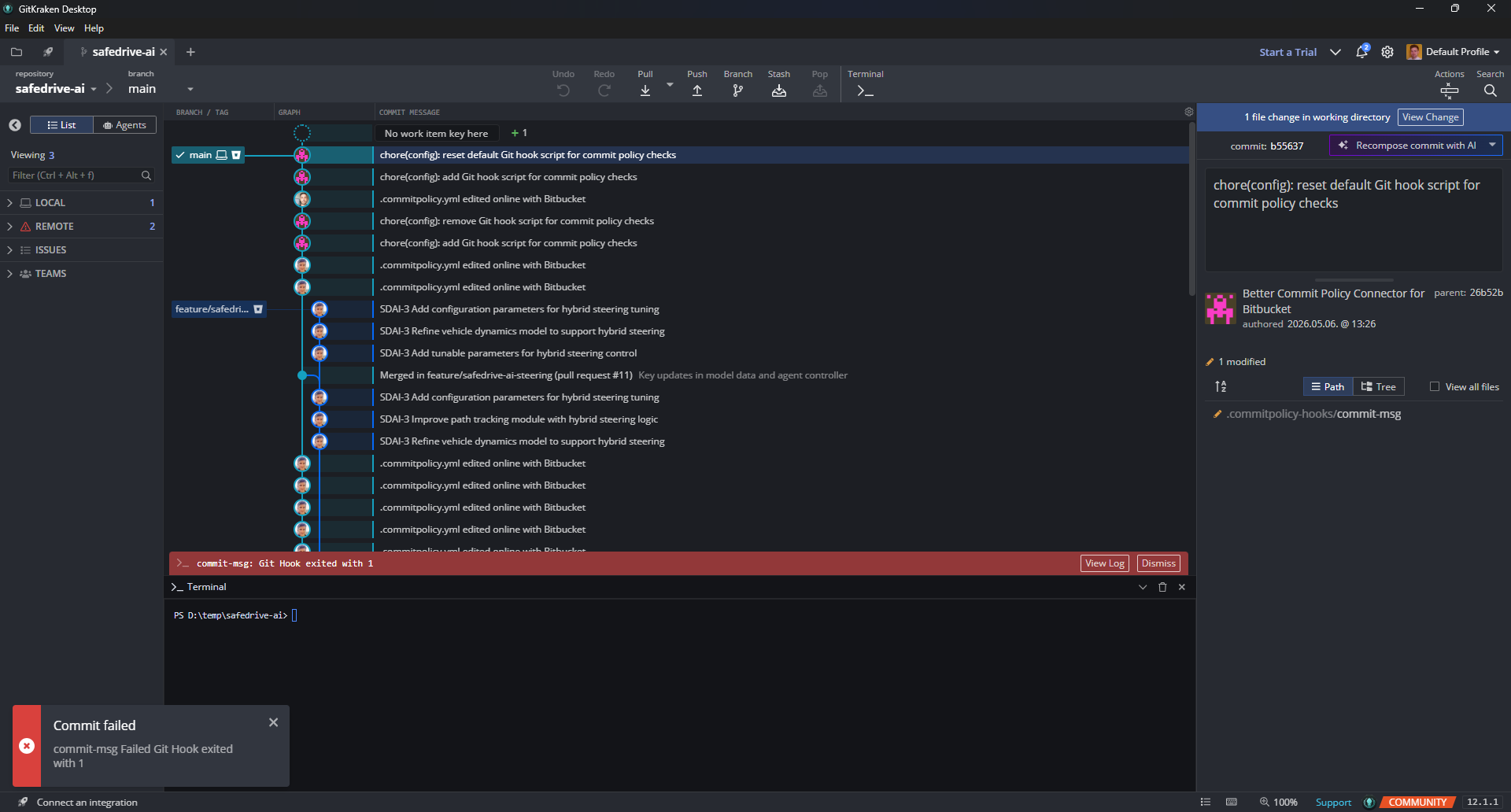
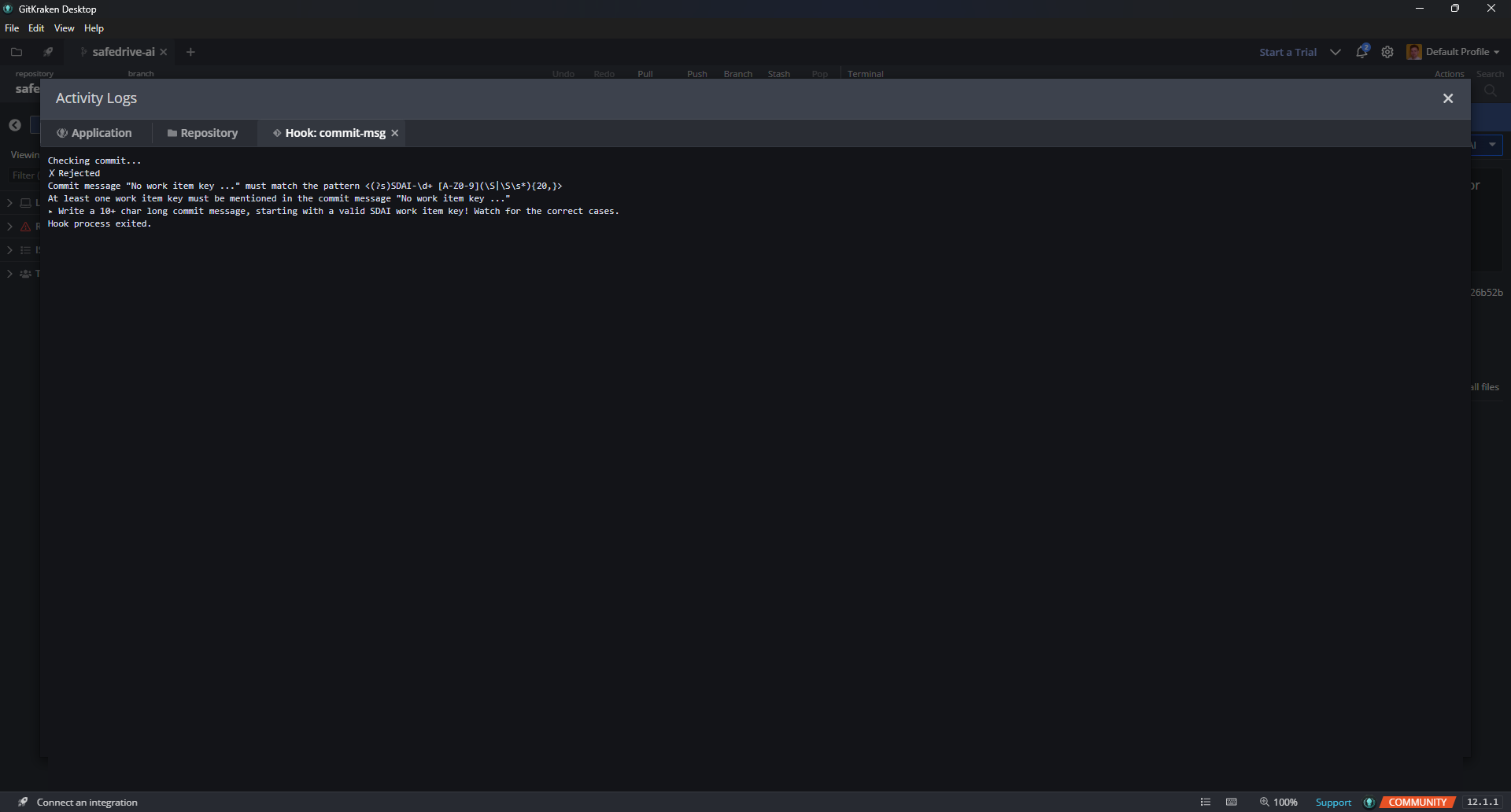
When you submit a commit from GitKraken, the hook automatically executes. If the pre-commit check rejects the commit, a red stripe appears at the bottom of the window. Click View log on the right side of that stripe to open the Activity Logs:
The Activity Logs dialog opens on the Hook: commit-msg tab, which shows the list of violations:
Of course, your changes remain staged, so you can easily fix the commit and retry.
Git configuration settings
The pre-commit check feature is configured through standard Git configuration settings.
GitKraken does not offer a built-in feature to modify Git configuration settings. You can open a terminal instead (from the GitKraken toolbar) and run git config commands.
Questions?
Ask us any time.