

In this page
What is TortoiseGit?
TortoiseGit is a free, open-source Git client for Windows that integrates directly into Windows Explorer via context menus. It is Windows-only.
TortoiseGit guide
Learn how to get the most out of Better Commit Policy in TortoiseGit. If this is your Git client of choice, this guide is well worth a read.
Pre-commit check
The pre-commit check is implemented as a standard Git commit-msg hook that runs at commit time.
When you submit a commit from TortoiseGit, the hook automatically executes and its output is displayed in a progress dialog. If the pre-commit check rejects the commit, the dialog shows the list of violations:
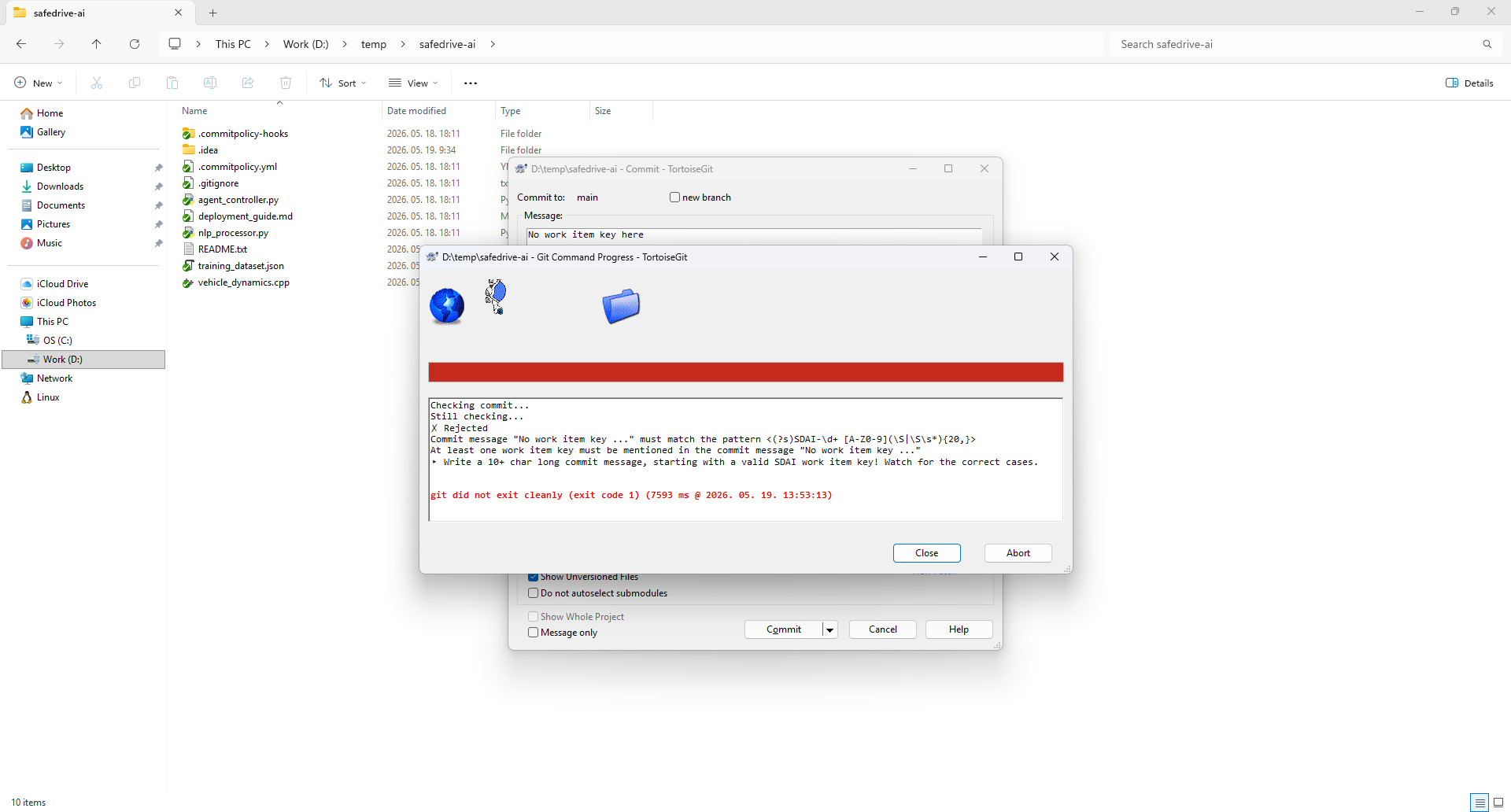
Of course, your changes remain staged, so you can easily fix the commit and retry.
Git configuration settings
The pre-commit check feature is configured through standard Git configuration settings.
TortoiseGit offers a built-in feature to modify Git configuration settings. Right-click any repository folder in Windows Explorer and choose TortoiseGit → Settings → Git. From there you can open and edit both the local (.git/config) and global (~/.gitconfig) configuration files directly.
Alternatively, you can open a terminal and run git config commands.
Questions?
Ask us any time.