

In this page
Track content status
Tracking the content status essentially means that you can know all pages' and blogs' current position in the content lifecycle at any time. You can do this at three scopes, from the widest to the narrowest:
- Site scope (all contents on a Confluence site)
- Space scope (all contents in a single space)
- Single content scope (a single page, blog post, etc.)
Site scope
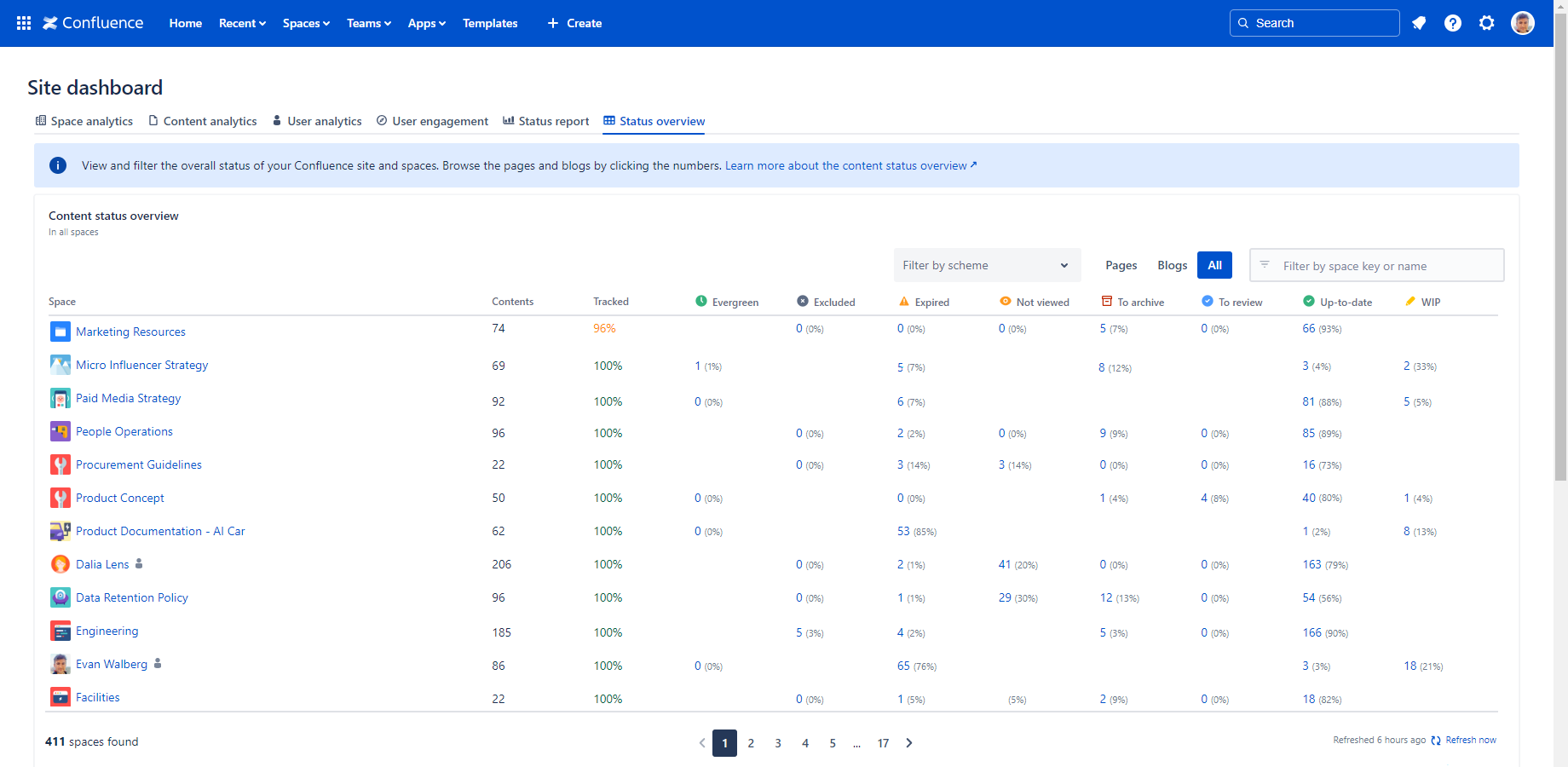
Get a bird's-eye view of every content's status across your entire site.
Related features:
- View the Content Status report to see the status distribution, count of the contents per status and status change trends for the whole Confluence site.
- View the Content Status Overview report to see, filter and aggregate the status counts for the whole Confluence site.
- View the Content List report to drill down into your site's status on the level of individual pieces of content of the whole Confluence site.
- View the Upcoming report to see contents that are expiring or are going to be archived soon across the whole Confluence site.
Space scope
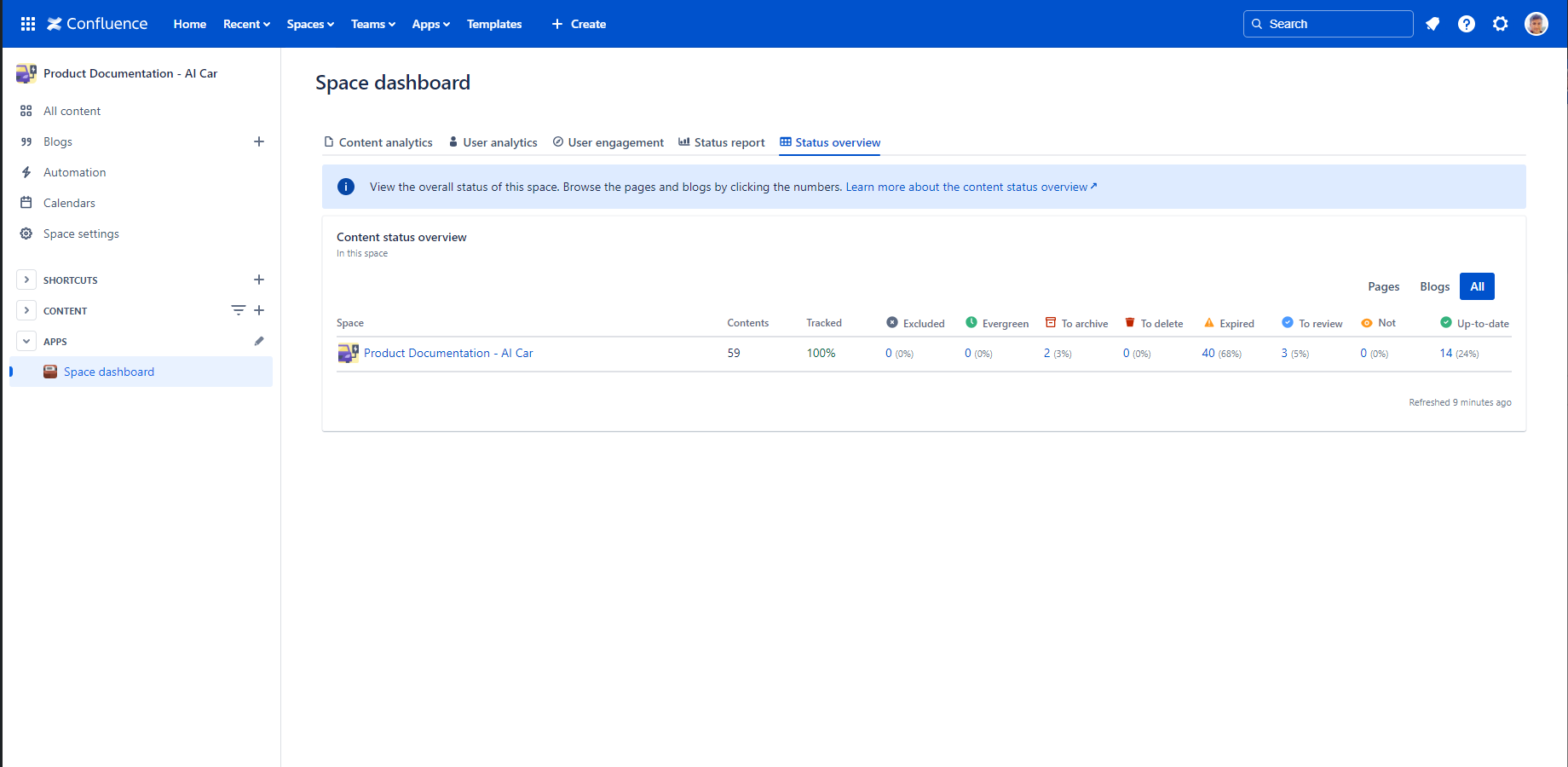
Narrow the view down to a single space. Spaces can be organized around a product, a team, a project, or anything else.
Related features:
- View the Content Status report to see the status distribution, count of the contents per status and status change trends for a single space.
- View the Content Status Overview report to see and filter the status counts for a single space.
- View the Content List report to drill down into your site's status on the level of individual pieces of content of a single space.
- View the Upcoming report to see contents that are expiring or are going to be archived soon in a single space.
Single content scope
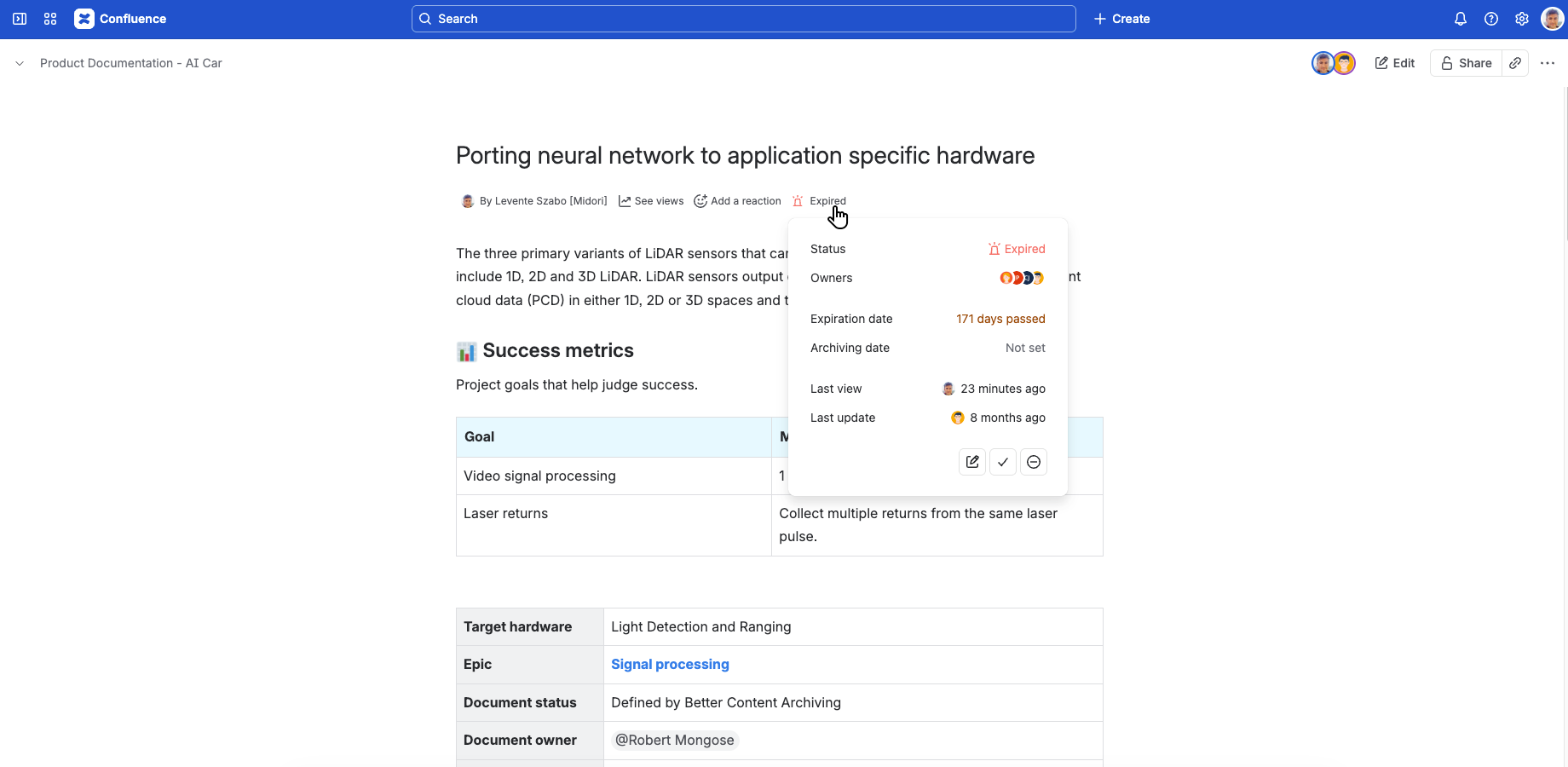
Check the exact status of one specific page or blog post.
Related features:
- View the content status in the top while viewing a single page or blog post.
- Use the quick actions to affect the status of a single page, blog post or even a page tree.
Questions?
Ask us any time.